



More than 50 users already trust Elevia


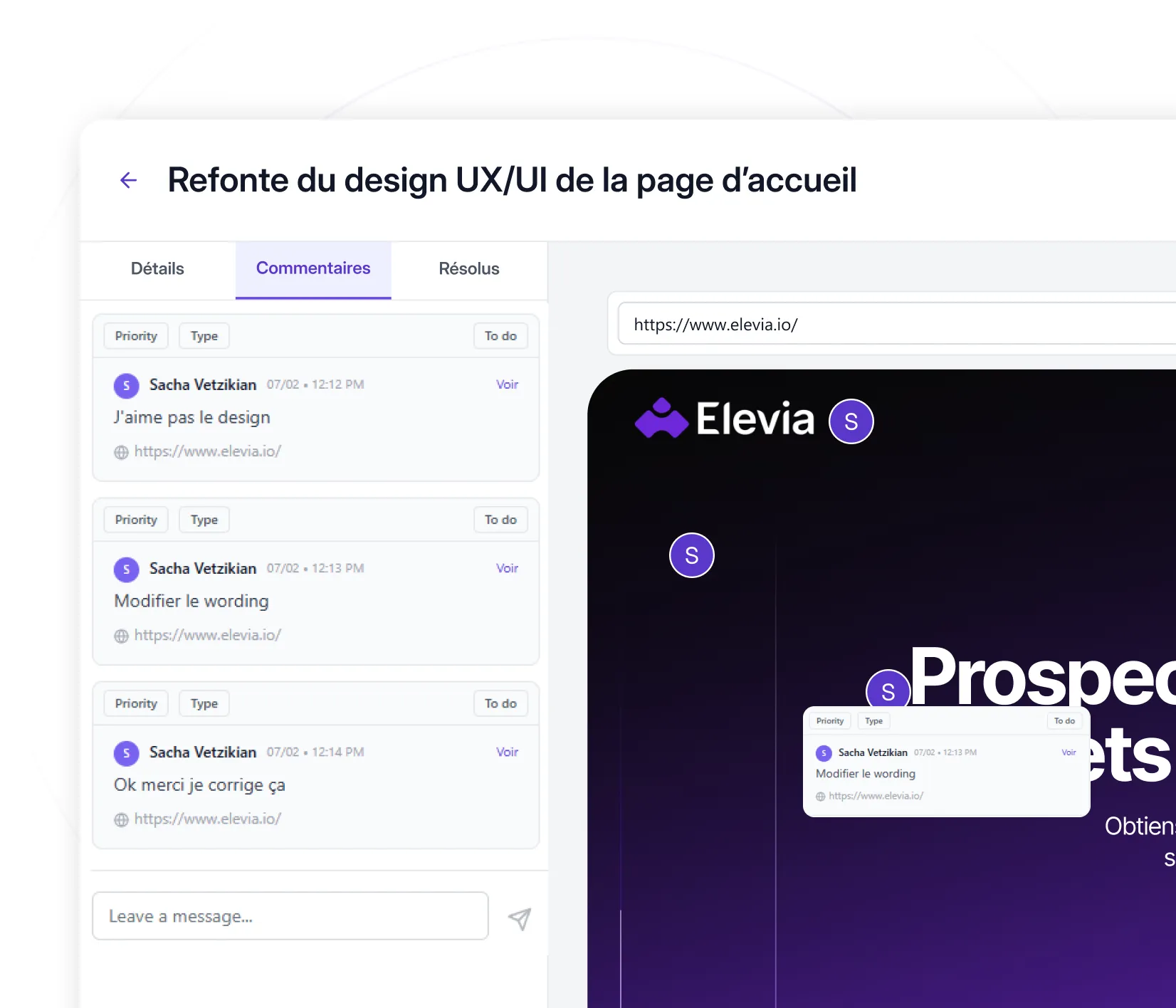
Precise design feedback
on every deliverable.
Figma, PDF, websites: all client feedback in one place to ship faster.
The details that make the difference



Smoother
Easier to control
Clear feedback
Every capability
keeps creative flowing
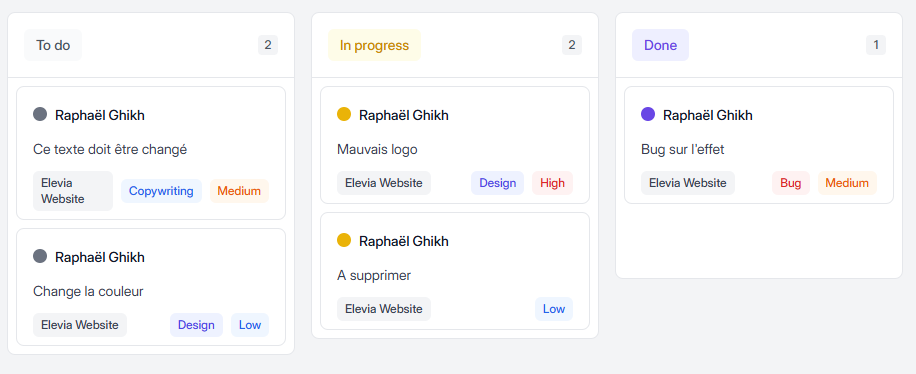
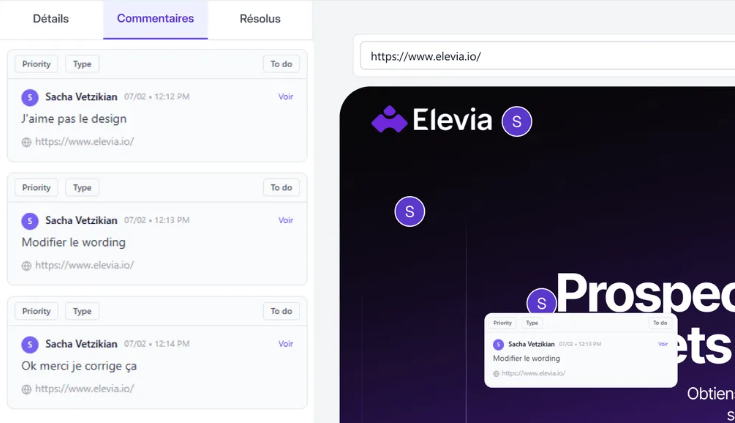
Centralized comments in Kanban
Why choose Elevia over Ruttl, Pastel, or Markup.io?
Ruttl, Pastel, and Markup.io annotate visuals, but not your agency CRM or freelance billing. Elevia connects design feedback, delivery, and client work in one platform.
| Elevia | Dedicated tool (Ruttl, Pastel, Markup.io) | |
|---|---|---|
| Multi-format visual annotation | Websites, Figma, PDF, video | Varies by tool |
| Native Figma integration | Built-in plugin | Partial or missing |
| Feedback → tasks automatically | Connected to project management | Manual re-entry |
| Version management | Included | Included |
| Timestamped client approval | Included | Plan-dependent |
| Client access without account | Direct link, no signup | Included |
| Connected to CRM and billing | Same platform | Isolated tool |
| Affordable pricing | Accessible pricing | Extra subscription |
| Free trial | 14-day free trial | Varies |
Frequently asked questions about design feedback tools
What's the difference between Elevia and Ruttl or Pastel for design feedback?

Ruttl and Pastel are solid visual feedback tools, but they stay isolated. Client comments live in their own interface, disconnected from your project and billing. With Elevia, annotations automatically become project tasks, and everything stays on one platform, no extra subscription.
Does my client need an account to leave feedback?
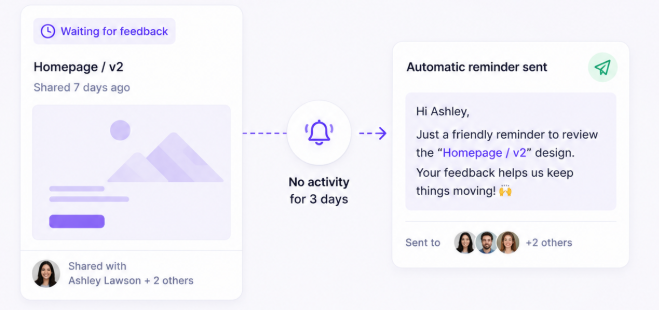
No. Your client gets a link, clicks, and annotates directly: no signup, no browser extension, no friction. That removes the main blocker: feedback that stalls because the client "didn't have time to log in".
Which formats can I collect design feedback on with Elevia?
Live websites, Figma mockups, PDFs, videos, and motion design files. One design feedback tool for every creative deliverable, whether you're a web developer, designer, motion designer, or art director.
How does version management work?
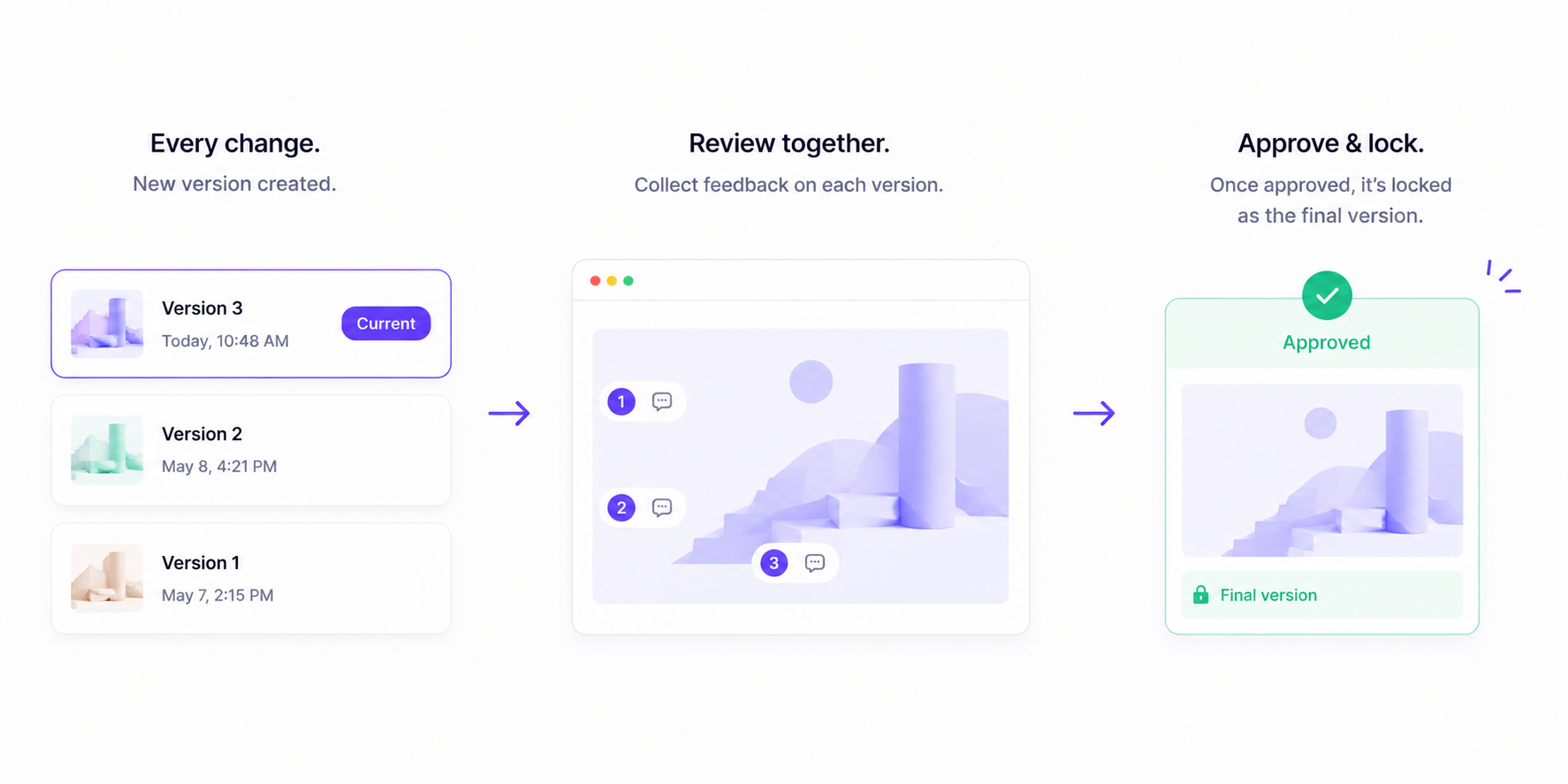
Every iteration is saved and labeled in Elevia. You know exactly what changed between V1 and V3, who asked for what, and which version the client approved. No more file confusion, or "I thought you had changed that on the latest version".
Can client feedback become tasks directly?
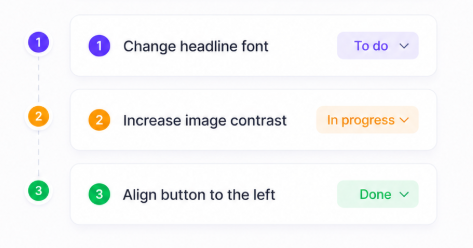
Yes. It's the bridge between feedback and execution that dedicated tools don't offer natively. In Elevia, a validated comment becomes a project task in one click: assigned, with a deadline, no retyping.
Does Elevia integrate with Figma?
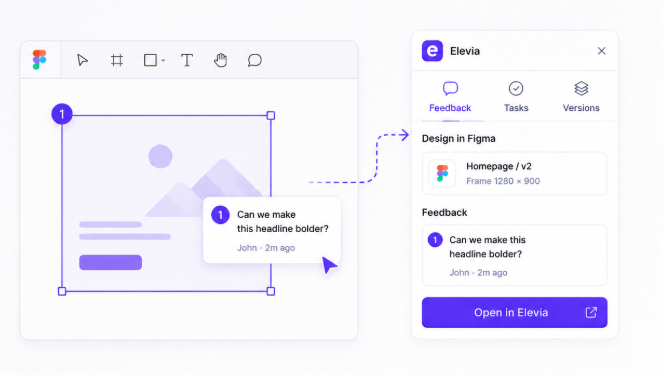
Yes. The Elevia plugin runs inside Figma with two-way sync. Sync your Figma frames with your Elevia project, your client annotates on Elevia, and comments come back to Figma in the right place.
Is the Design Feedback module included in every Elevia plan?
Design feedback is included from the Business plan (€59 ex. tax/month). The 14-day free trial gives you access to the full platform. See our Pricing page for full plan details.
Can I get formal client approval on a mockup?
Yes. Your client approves the final version directly in Elevia, with automatic timestamping. You get written proof of validation for every deliverable, no separate email confirmation needed.
Run your business like never before.
Replace tool sprawl and work more effectively.
- 14-day free trial
- No commitment